AUTOSAMPLR
Turn any song into a sample pack
Drop in an audio file or web link. AutoSamplr separates the stems, extracts the good bits, and exports an Ableton Drum Rack, Ableton Move preset, or numbered WAV files for your DAW.
Buy once, use forever.
No subscription. No credits. Runs on your computer.
Export to any DAW
- Ableton Live
- FL Studio
- Logic Pro
- Pro Tools
- Cubase
- Bitwig Studio
Download the free trial
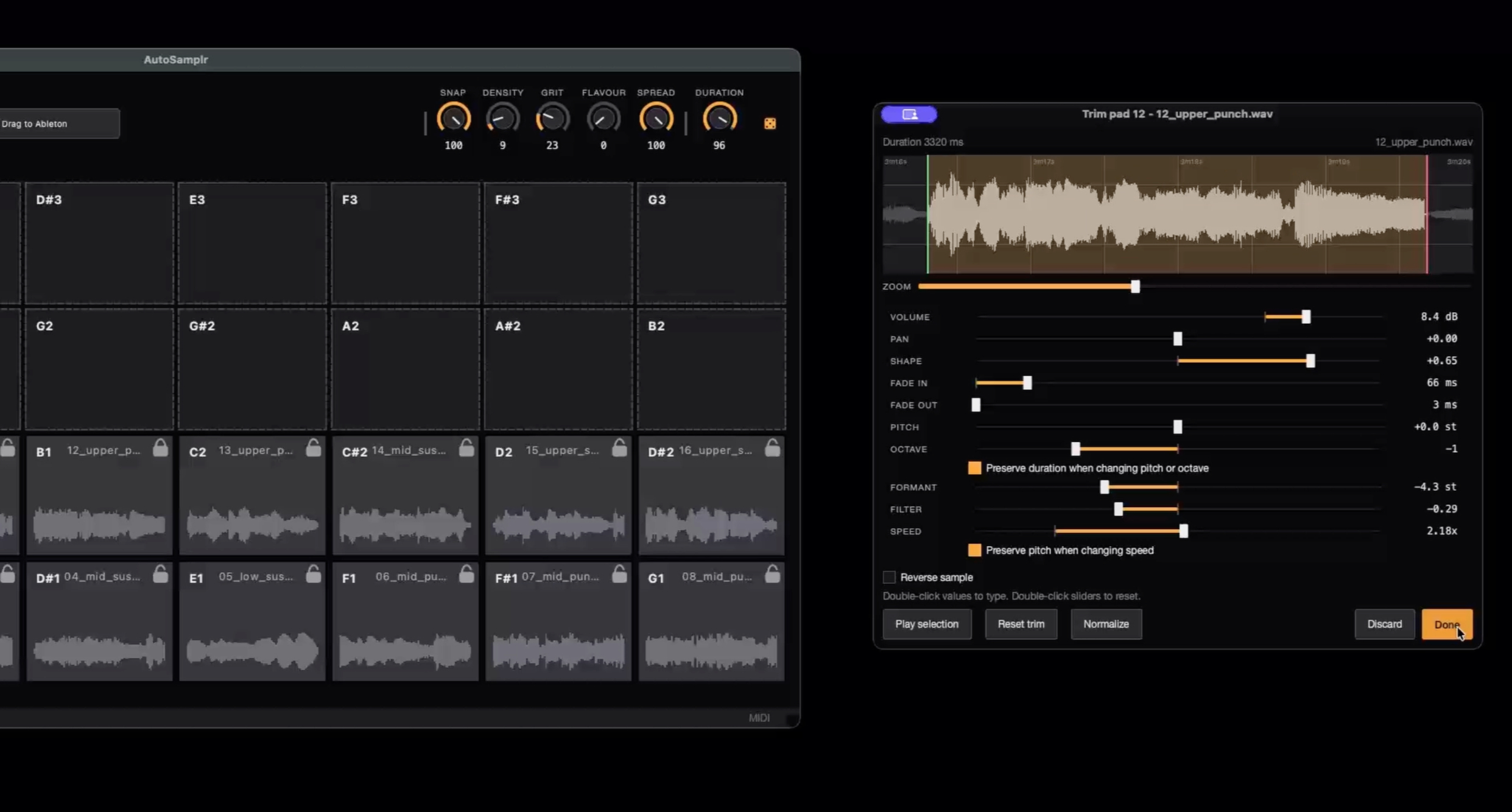
Dial In Your Sound
Individual Control Over Every Pad
Waveform Editor
USE ANYWHERE
Export Options
No subscription. No Credits.
Buy Once, Use Forever
Try every idea without watching a meter run. AutoSamplr runs on your computer.


Swipe to see more →
Early Access Lifetime License
Early-bird pricing for our first supporters. Exactly the same as the regular license: every feature, every update.
- All future updates included
- Activate on up to 5 computers
- One-time payment, no subscription
- 14-day no-questions-asked refund
Secure checkout via Lemon Squeezy · Instant license key by email · 14-day refund
Under the hood
What happens inside AutoSamplr
Stem separationSplit the song into vocals, drums, bass, and melodic layers.
AutoSamplr splits the source into vocals, drums, bass, and melodic layers on your machine, so the raw material is organized before anything gets ranked or exported.
Sample rankingScore the strongest moments for attack, tone, contrast, and variety.
Each stem is sliced into candidate moments and scored for attacks, tone, contrast, usable length, and variety so you get a kit with real range instead of sixteen near-duplicates.
Creative controlUse macro controls to push the kit in different directions.
Macro controls push the results toward sharper hits, more grit, wider variation, denser textures, or a different balance of sounds before you fine-tune individual pads.
Export to your DAWDrop the finished kit into Ableton, WAV workflows, or save it as a kit.
When the kit feels right, export it as an Ableton Drum Rack, Move / Note preset bundle, numbered WAV kit, or reusable AutoSamplr kit file so it drops straight into the next part of your workflow.
There is a world of audio waiting to be sampled.
Public-domain recordings, Creative Commons stems, field recordings, and archive audio can all become sample packs. AutoSamplr helps you extract the usable bits, shape them, and send them straight to your DAW.



Swipe to see more →